
Video Maker & Photo Music7.4.10.704010 - Google Play
You'll be able to see results in few seconds.
Publisher Description
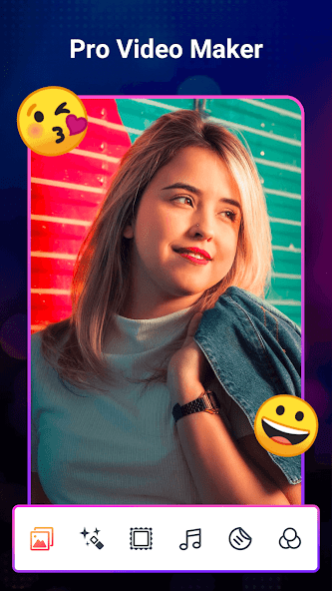
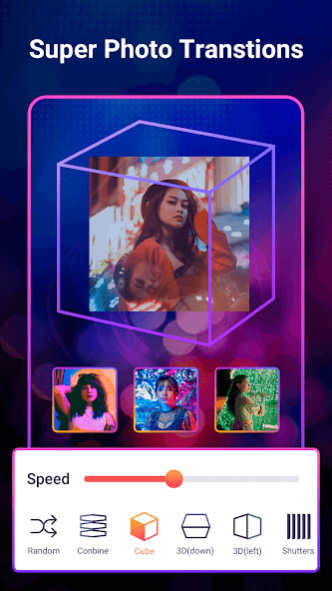

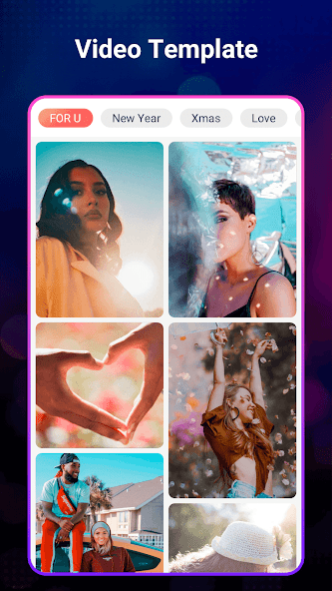
Music Video Maker can create photo videos and music videos, rich photo editor, you can edit local videos again: crop, compress, convert video formats, adjust video volume, photo editing, photo clearing background for cutout, and then share Go to social media like Kwai, Tiktok, Instagram etc.
We offer top web music, but also support your local music, just pick your unlimited photos and you will make amazing slideshow videos. Also, we have awesome effects to help you edit photo videos. Support for Google Drive allows you to save videos in the cloud. Photo Video Maker Pro with Music.
👍 Features:
- Make a video with music:Choose a slideshow animation for the photo.
- Rich photo frames, a variety of stylish layouts
- Featured free music or use your own music
- Customize video filters and special effects, add film-style video filters and special effects such as Glitch
- Add text, customize multiple font sizes and colors
- Add trendy dynamic stickers and emoji
- Adjust the speed of your video in a fun way, set slow motion for your video
- Music+Video: Add exclusive music to your videos
- Rich video templates, directly select photos to generate videos
- Trim Video:Trim and cut videos to any length
- Compress Video: Choose frame rate and resolution, compress video size
- Video Volume: Adjust the video volume, support doubling the volume
- Video Format: Format support MOV, WMV, AVI, MP4
- Extract mp3 from video.
- Video Cut & Video Cut & Video Split
- Remove Photo background automatically like real magic.
- Audio cutter, millisecond-level perfect cutting.
-Extract audio from video for trimming.
-Adjust Audio Volume, Powerful Audio Cutter.
Video Maker & Photo Music With Music is a powerful video maker and video editing app that is easy to use.
About Video Maker & Photo Music
The company that develops Video Maker & Photo Music is Video Maker (videomaker.cool). The latest version released by its developer is 7.4.10.704010.
To install Video Maker & Photo Music on your Android device, just click the green Continue To App button above to start the installation process. The app is listed on our website since 2023-08-22 and was downloaded 0 times. We have already checked if the download link is safe, however for your own protection we recommend that you scan the downloaded app with your antivirus. Your antivirus may detect the Video Maker & Photo Music as malware if the download link to videomaker.photovideo.photoslideshow is broken.
How to install Video Maker & Photo Music on your Android device:
- Click on the Continue To App button on our website. This will redirect you to Google Play.
- Once the Video Maker & Photo Music is shown in the Google Play listing of your Android device, you can start its download and installation. Tap on the Install button located below the search bar and to the right of the app icon.
- A pop-up window with the permissions required by Video Maker & Photo Music will be shown. Click on Accept to continue the process.
- Video Maker & Photo Music will be downloaded onto your device, displaying a progress. Once the download completes, the installation will start and you'll get a notification after the installation is finished.
Program Details
System requirements
Download information
Pricing
Version History
version 7.4.10.704010
posted on 2023-08-22
Fix bugs
version 1.7.6.17006
posted on 2022-03-17
version 1.7.0.17001
posted on 2022-01-01
Fix ads issue, follow the GooglePlay Ad Policy.
version 1.5.3.15301
posted on 2021-12-13
1. More personalized template recommendation
2. Add GIPHY map
3. Add filter function for video editing
4. The video can select the same picture repeatedly
version 1.4.2.14216
posted on 2021-11-08
1. More lively of template previews.
2. Add music on video editor page.
3. Less limited of template photos.
version 1.2.3.12309
posted on 2021-10-21
1. Edit photo background
2. UX optimized
3. Wallpaper setting
4. Permission optimized
version 1.1.2.11202
posted on 2021-10-04
1. Ad policy
2. Optimize the templates
3. Change the video page path
4. Fix Crash
Disclaimer
Official Google Play Link
We do not host Video Maker & Photo Music on our servers. We did not scan it for viruses, adware, spyware or other type of malware. This app is hosted by Google and passed their terms and conditions to be listed there. We recommend caution when installing it.
The Google Play link for Video Maker & Photo Music is provided to you by apps112.com without any warranties, representations or guarantees of any kind, so access it at your own risk.
If you have questions regarding this particular app contact the publisher directly. For questions about the functionalities of apps112.com contact us.
